Project Overview
Zookd UI Design SystemVersion 1.0
A complete UI/UX design system for the Zookd platform, including color palettes, typography, component libraries, and comprehensive screen designs. This design system serves as the foundation for both Zookd 1.0 and 2.0 implementations, ensuring consistency and scalability across the entire ecosystem.
1 / 22
2 / 22
3 / 22
4 / 22
5 / 22
6 / 22
7 / 22
8 / 22
9 / 22
10 / 22
11 / 22
12 / 22
13 / 22
14 / 22
15 / 22
16 / 22
17 / 22
18 / 22
19 / 22
20 / 22
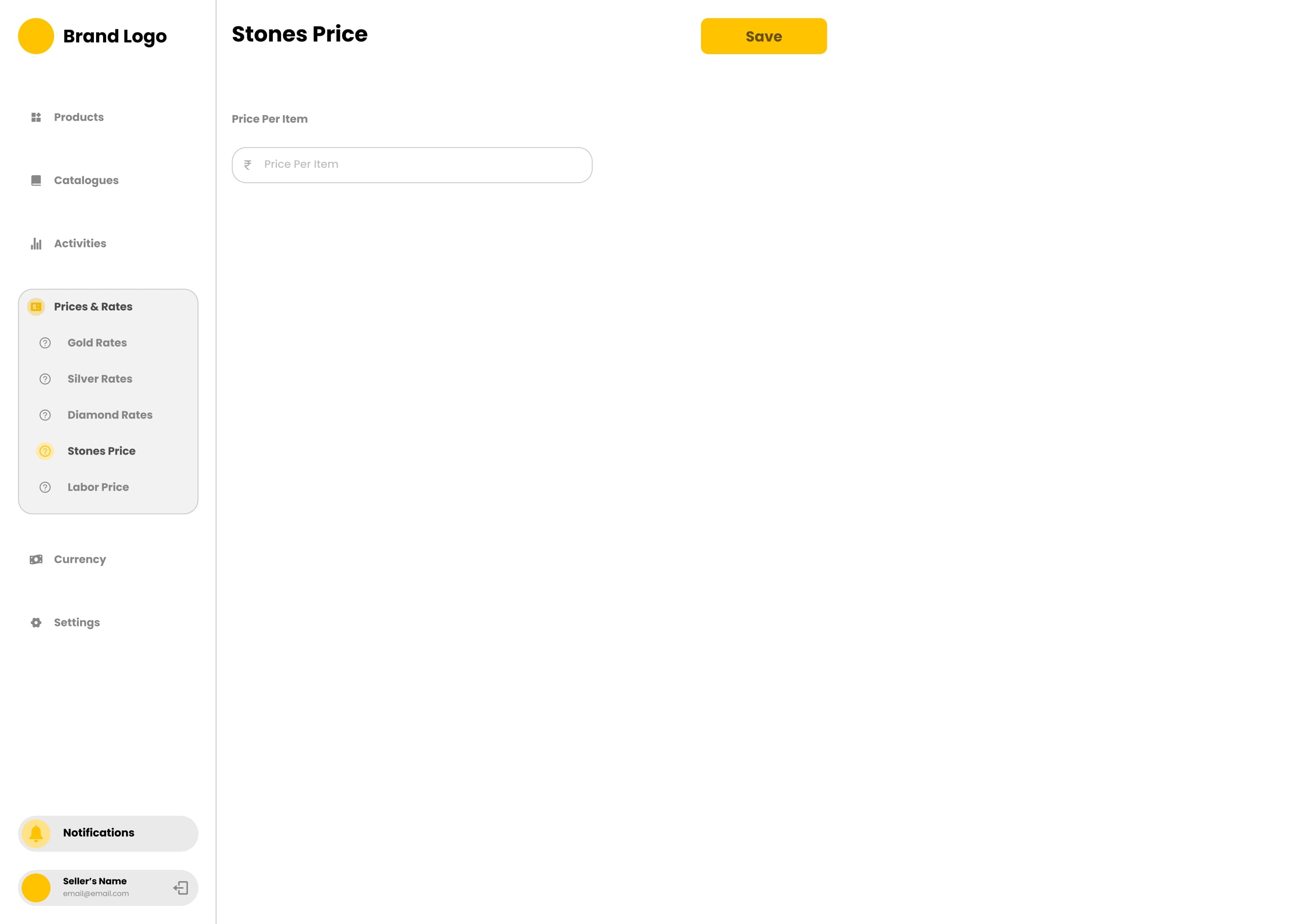
21 / 22
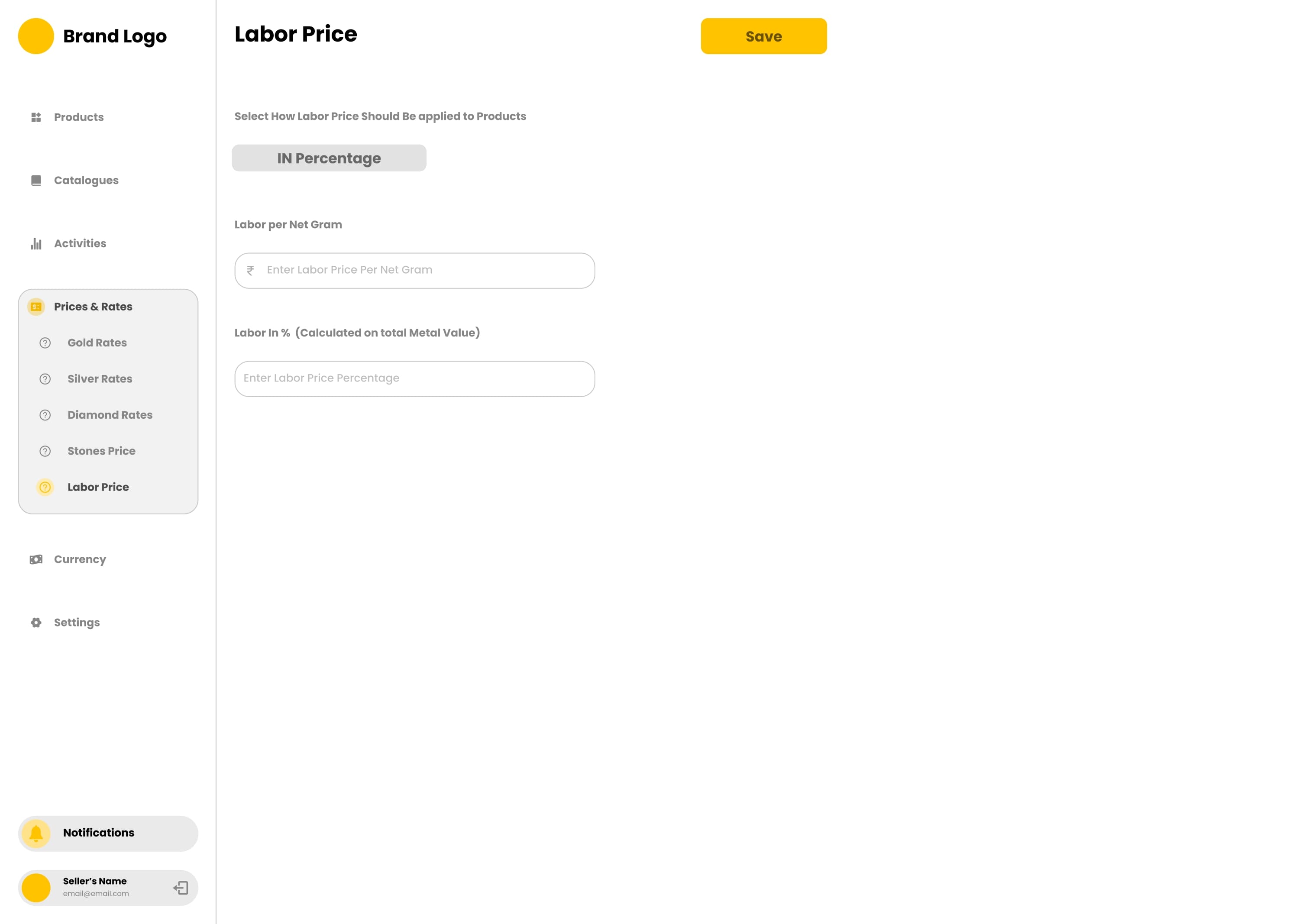
22 / 22
Project Overview
ProjectOverview
Overview
Complete project details and information
ui-designcompletedUI/UX DesignerVersion 1.0
Timeline
Start Date
June 2024
End Date
August 2024
Duration
2024-06 - 2024-07
Team & Role
My Role
UI/UX Designer
Team Size
1 person
Status
Current Status
completed
Project Type
ui-design
Version
1.0
Quick Actions
Live Demo
Last updated: Dec 5, 2025
Technologies Used
FigmaUI/UX DesignDesign SystemsComponent LibrariesPrototyping
Key Features
Design System
Component Library
Color Palettes
Typography Scale
WCAG Accessibility
Key Highlights
Comprehensive design system with color palettes and typography
WCAG AA compliant accessibility standards
Reusable component library in Figma
Responsive design patterns for all screen sizes
Section 1
Design System Overview
- Developed a comprehensive design system for the Zookd ecosystem to ensure consistency across all platforms and implementations
- Created scalable color systems, typography hierarchies, and reusable component libraries in Figma
- Established design tokens and guidelines for both light and dark mode implementations
- Built responsive design patterns that work across desktop, tablet, and mobile devices
- Focused on accessibility with WCAG AA compliance for color contrast and typography scales
Section 2
Color System Design
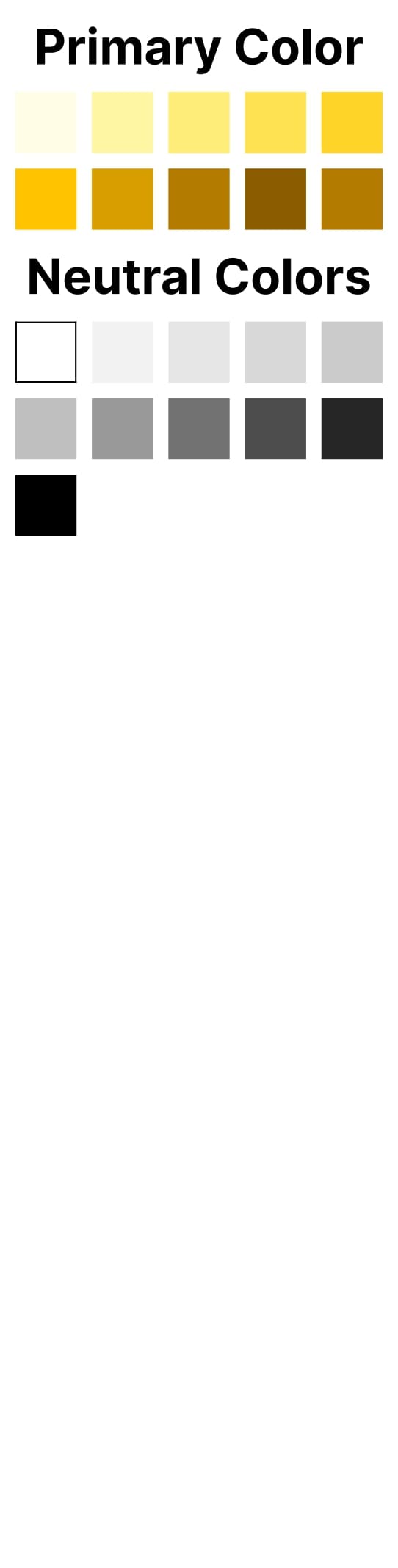
- Designed comprehensive color systems with primary, secondary, and neutral color palettes
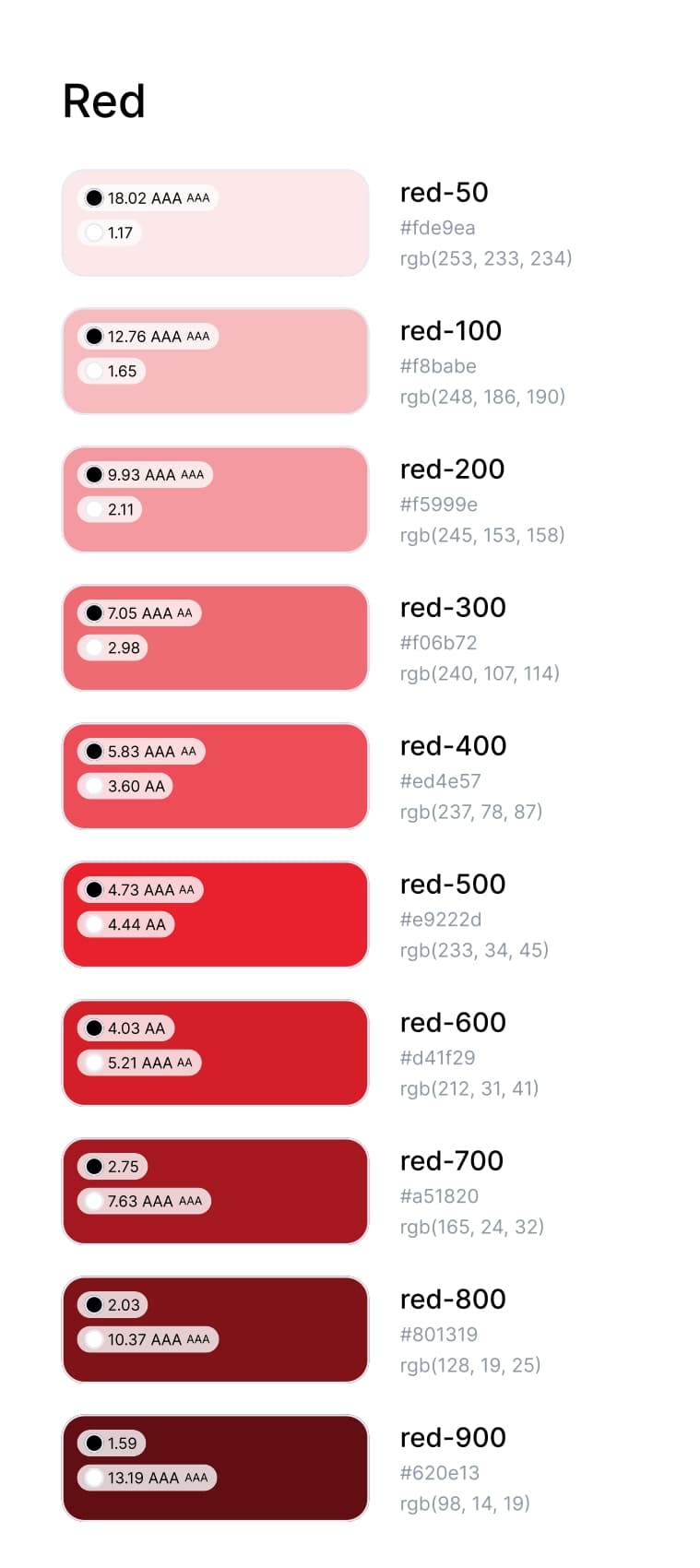
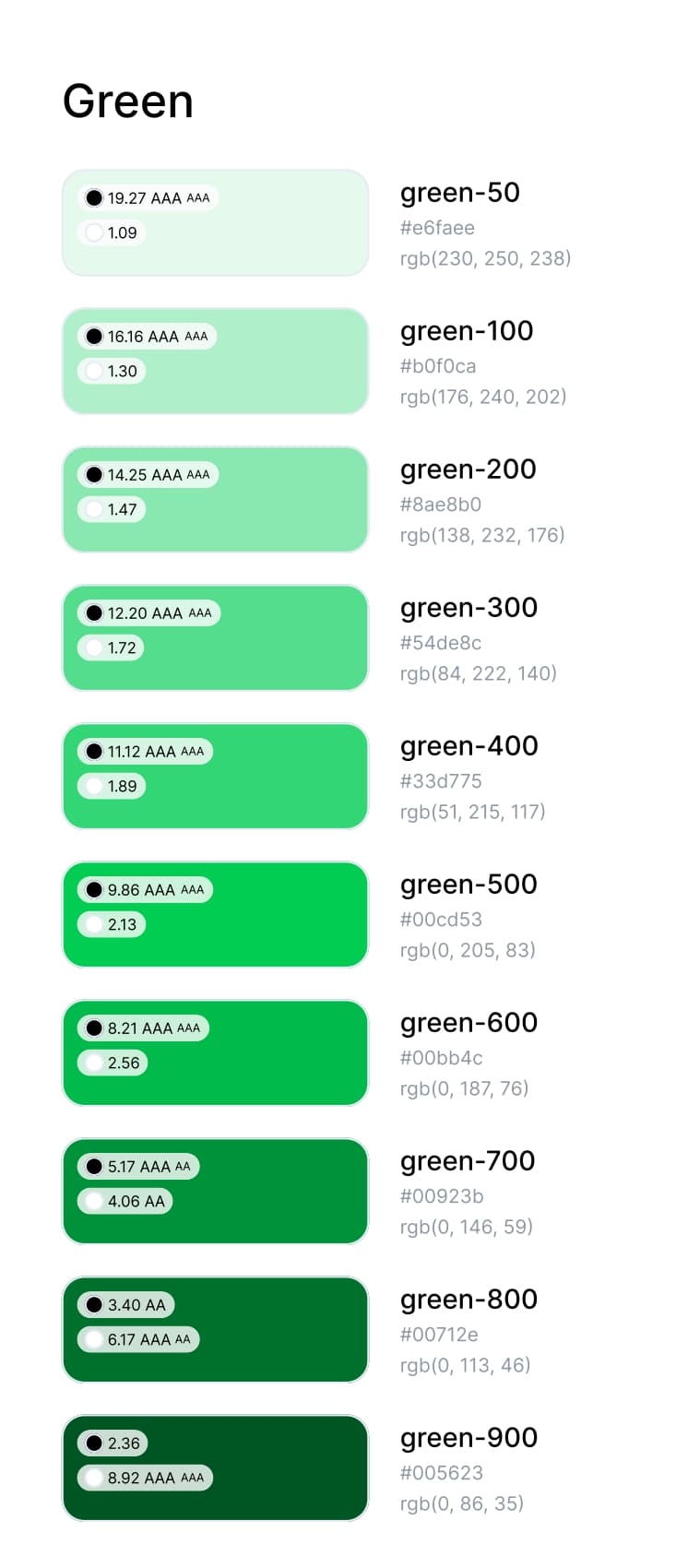
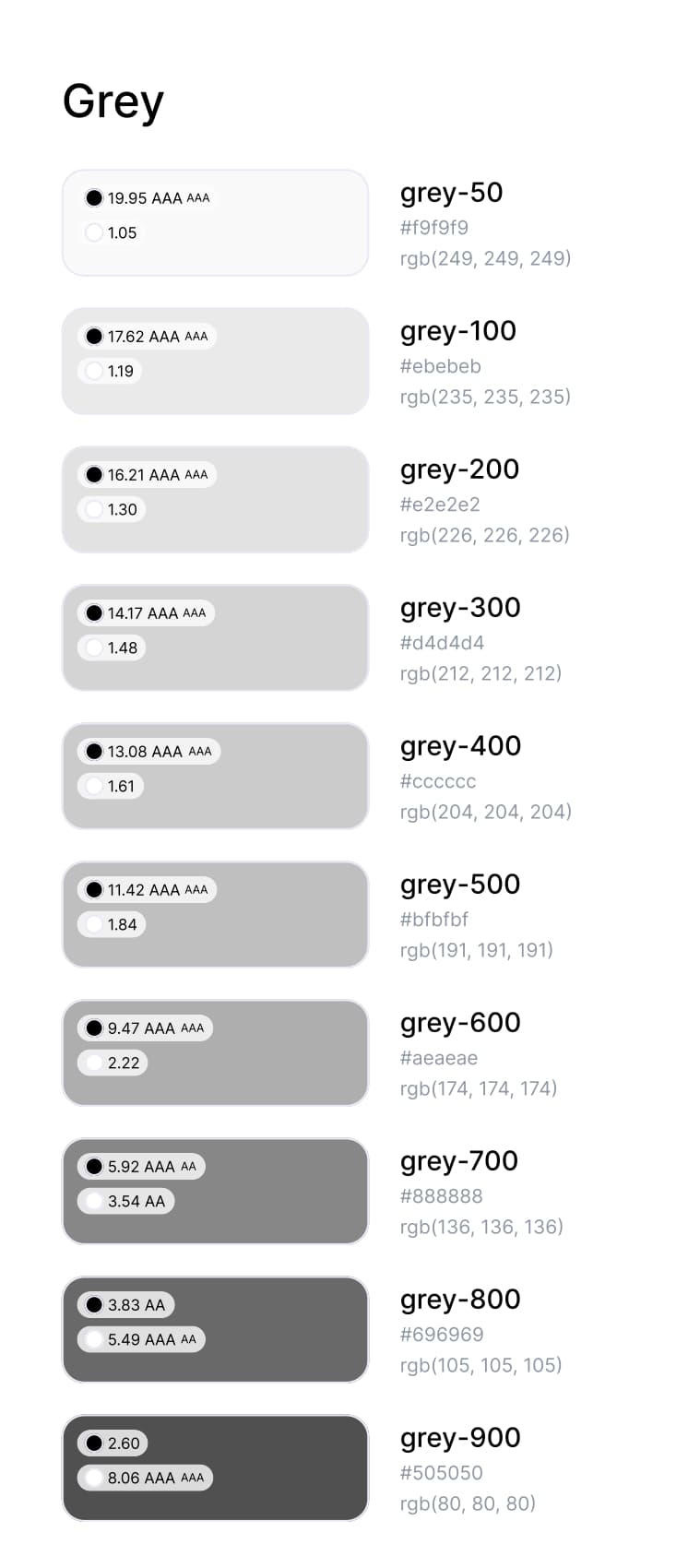
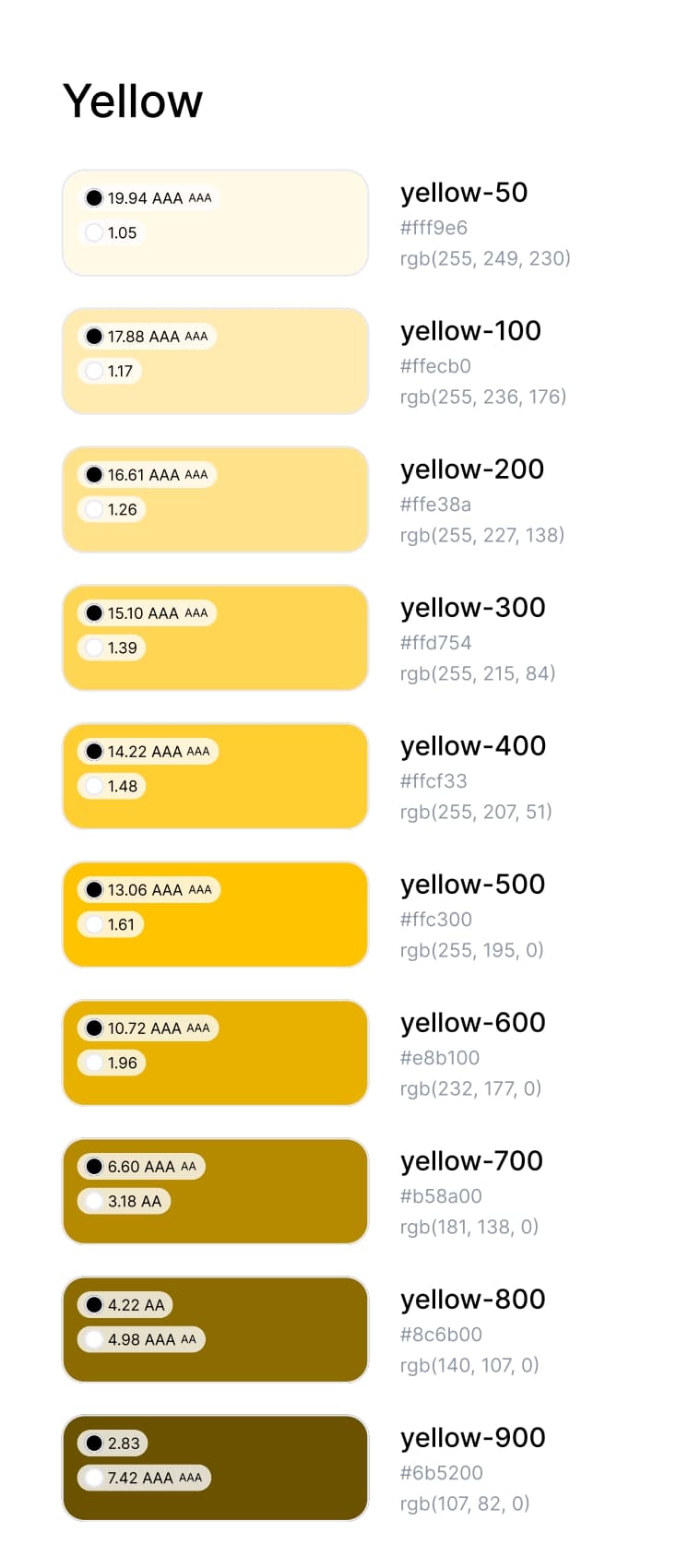
- Created color scales with 10 levels (50-900) for each color family including red, green, grey, and yellow
- Implemented WCAG AA compliance testing with contrast ratios for all color combinations
- Established semantic color usage for success states (green), error states (red), warning states (yellow), and neutral interfaces
- Developed color tokens for consistent implementation across development teams
- Included both HEX and RGB values for precise color reproduction across different platforms
Section 3
Typography & Text Hierarchy
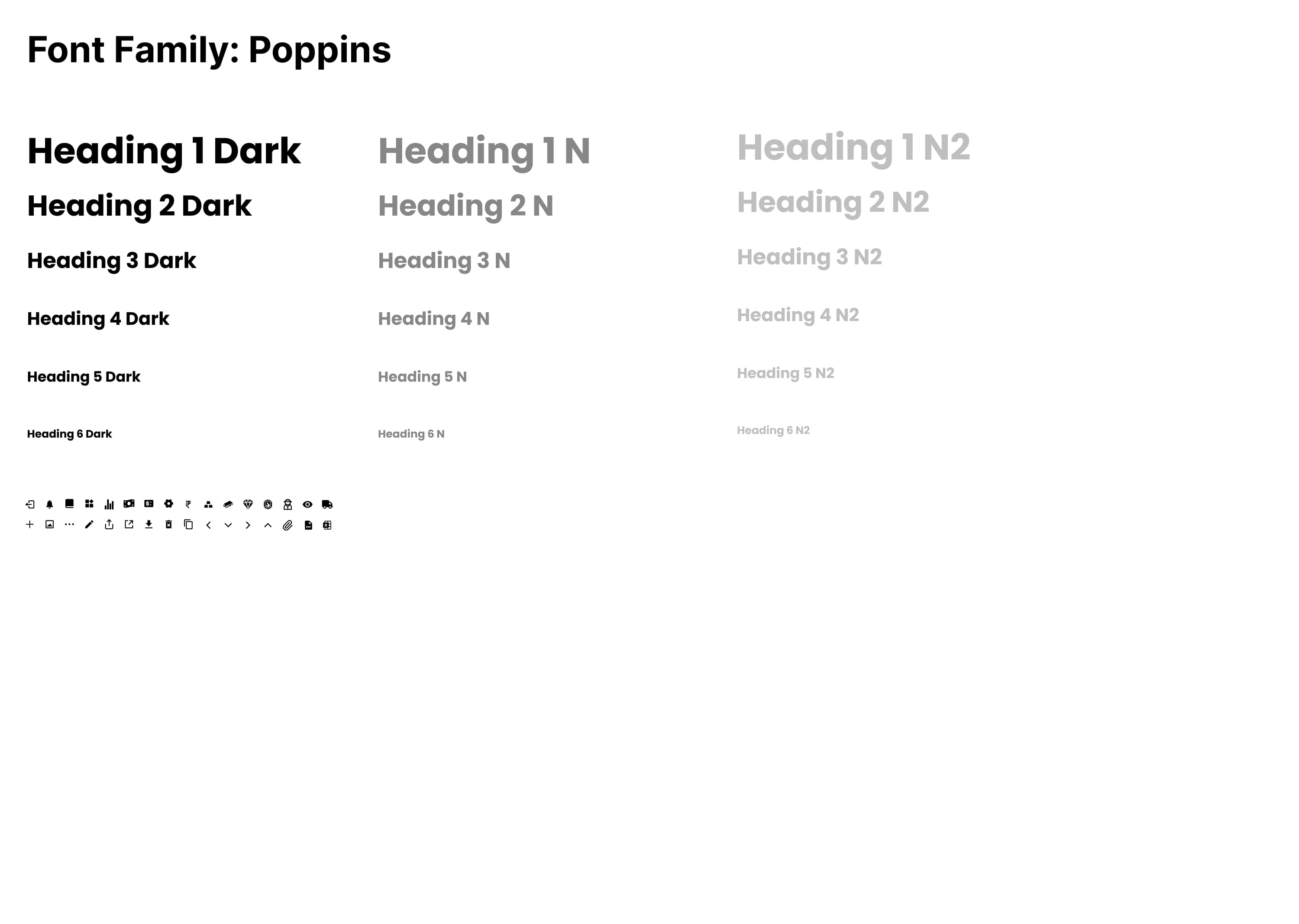
- Selected Poppins as the primary font family for its modern, geometric appearance and excellent readability
- Established comprehensive text hierarchy with 6 heading levels and multiple font weights
- Created text styles for different contexts: Dark (high contrast), N (normal), and N2 (secondary) variants
- Designed responsive typography scales that adapt to different screen sizes and devices
- Implemented accessibility-focused line heights and letter spacing for optimal readability
- Built text component libraries with consistent spacing and alignment patterns
Section 4
Navigation & Layout Systems
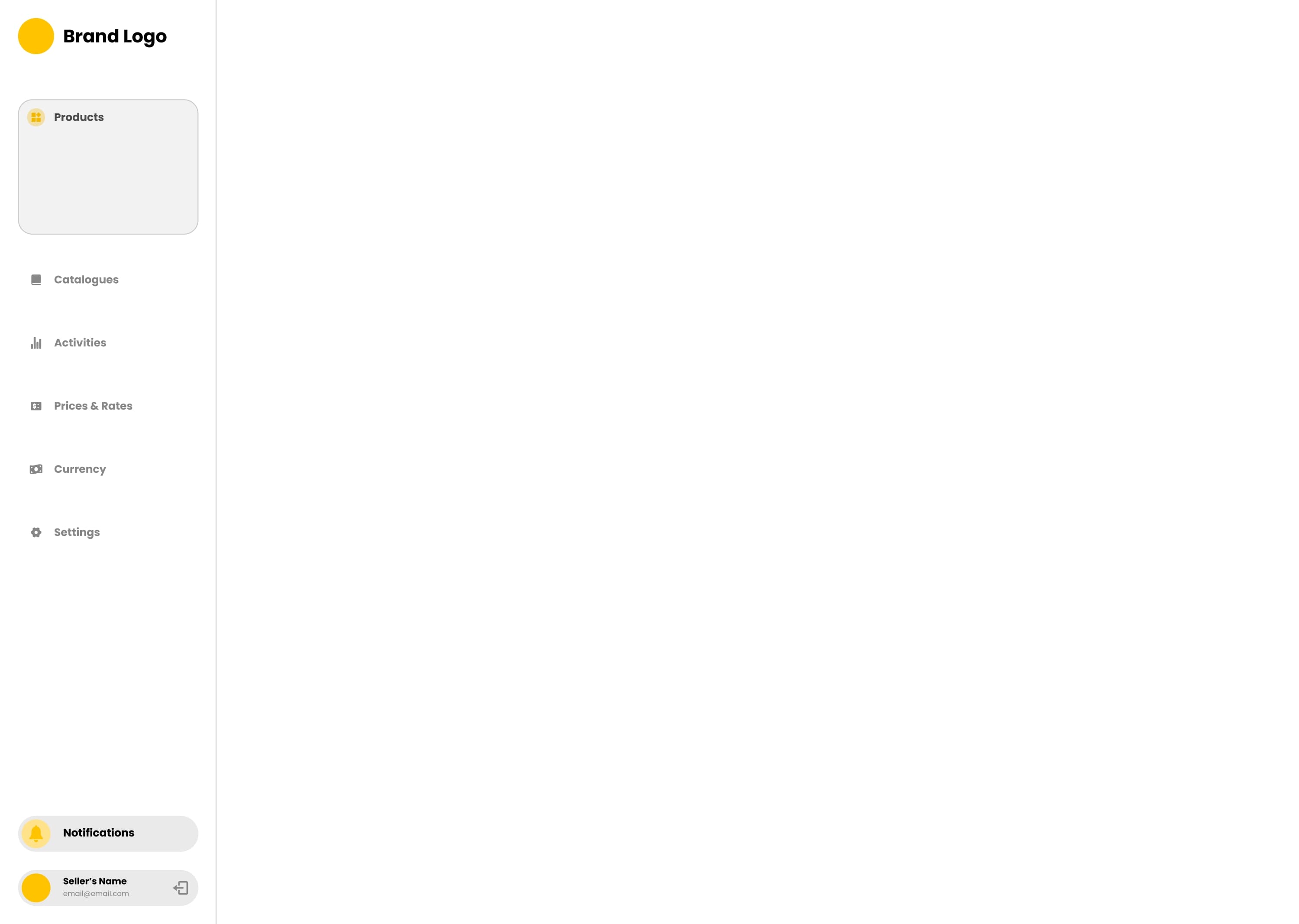
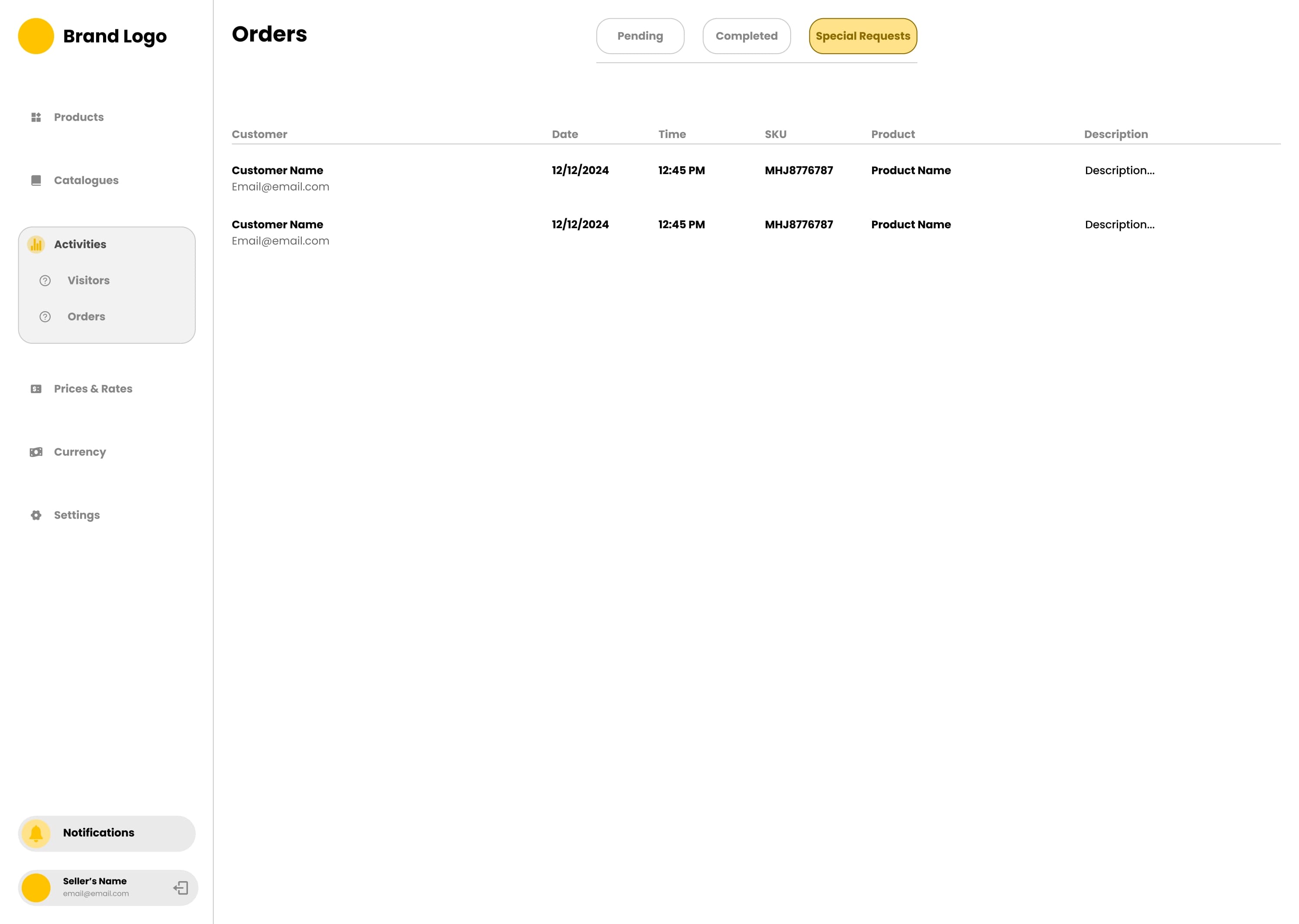
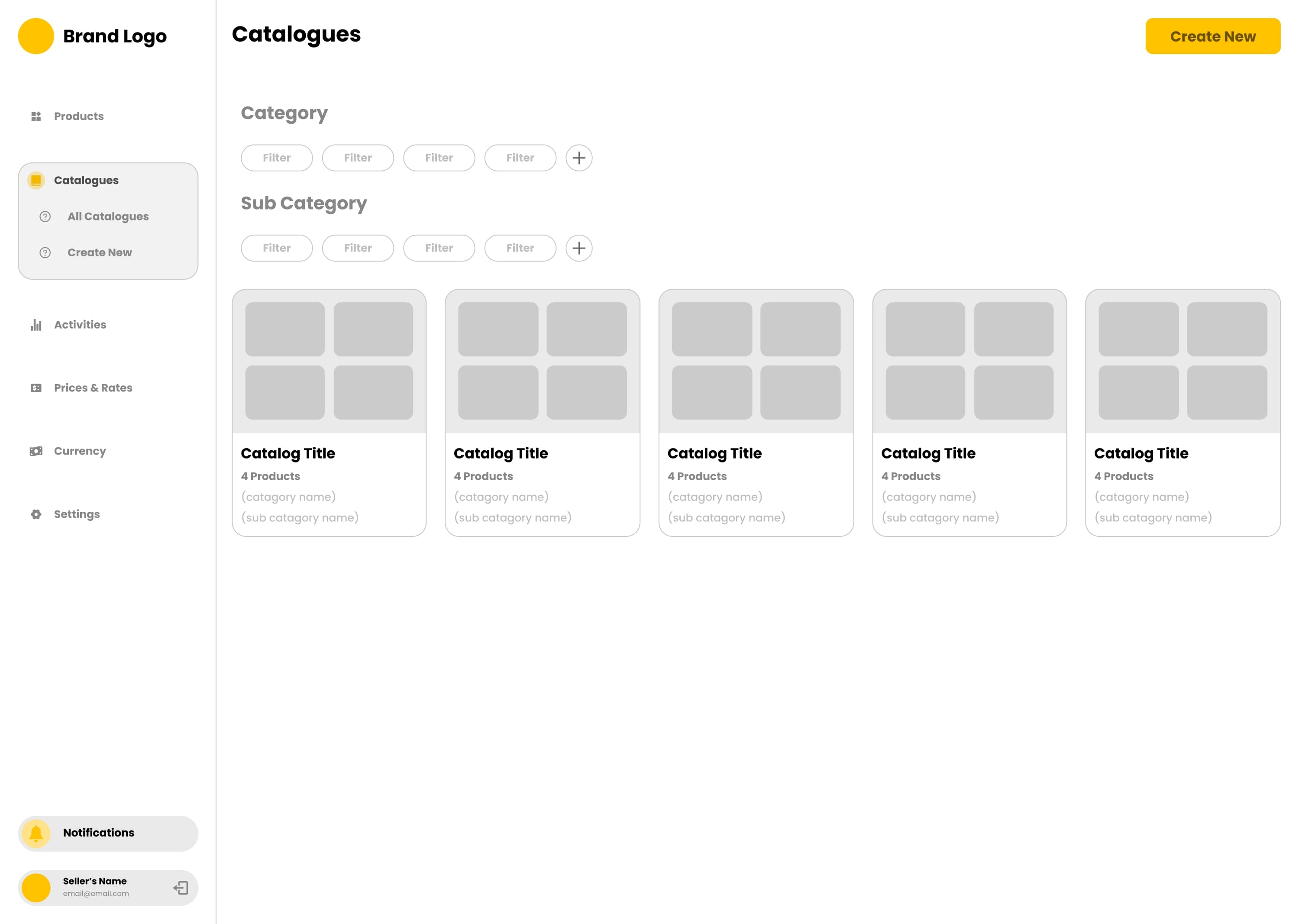
- Designed consistent navigation patterns with sidebar layout for main application navigation
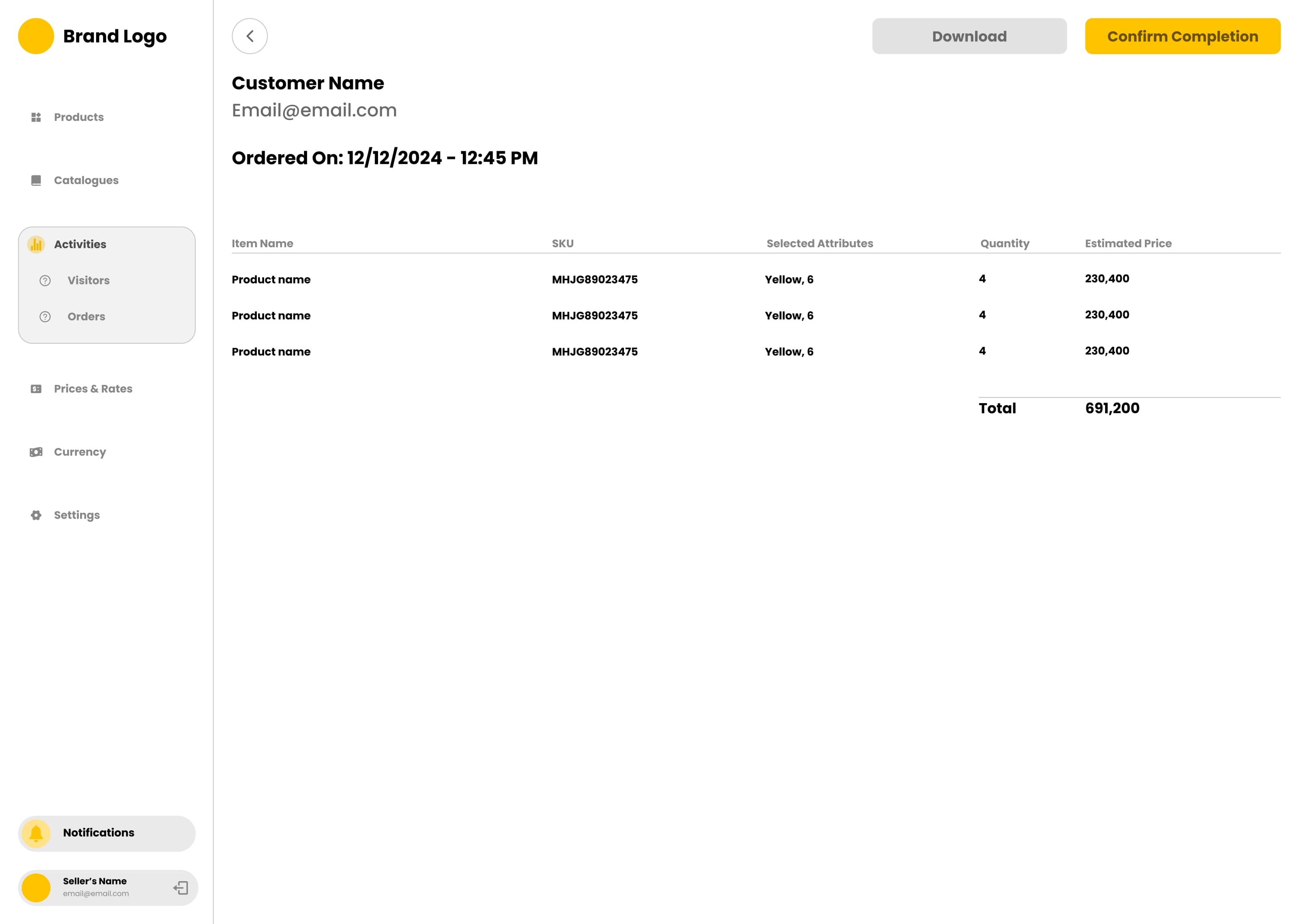
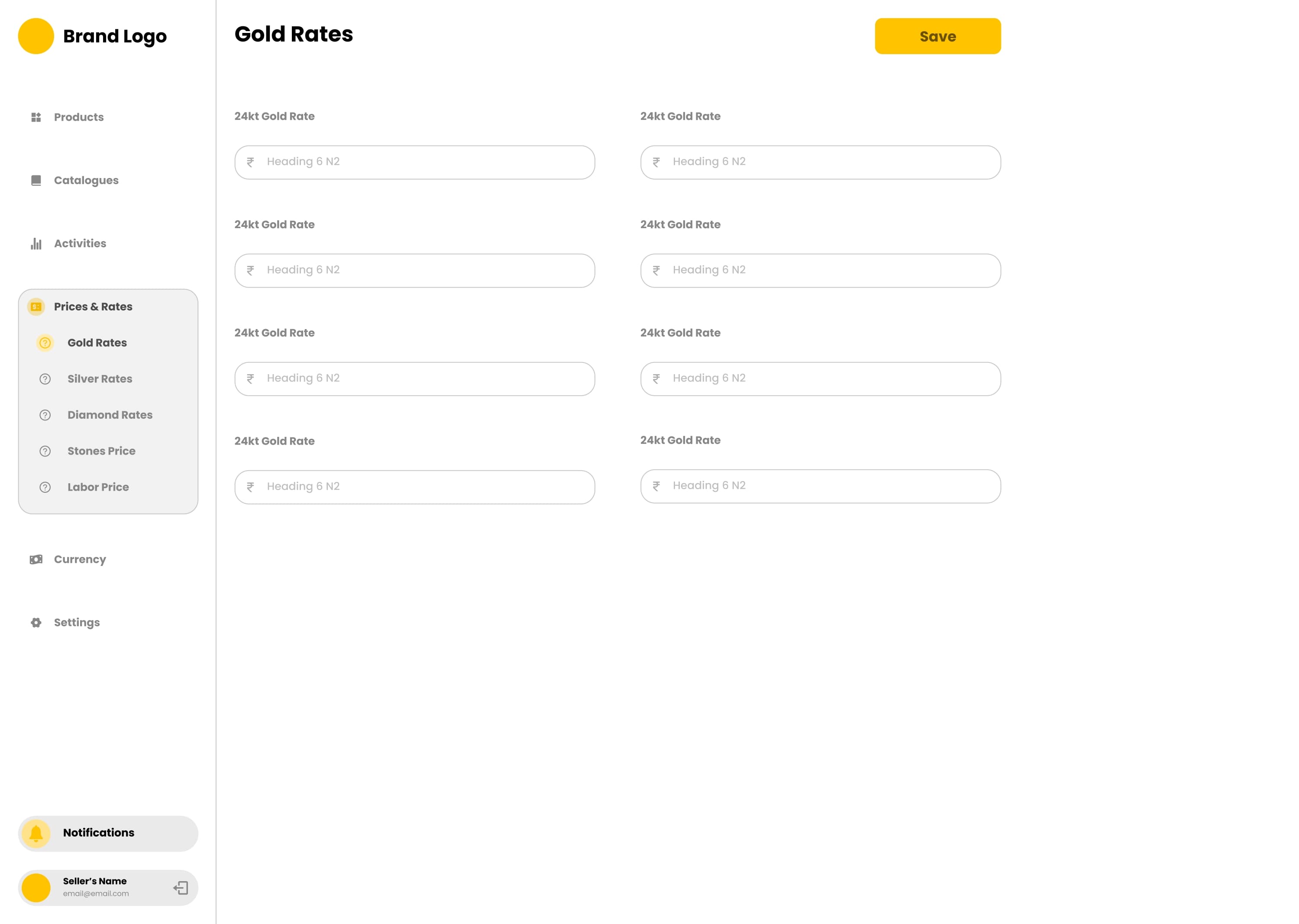
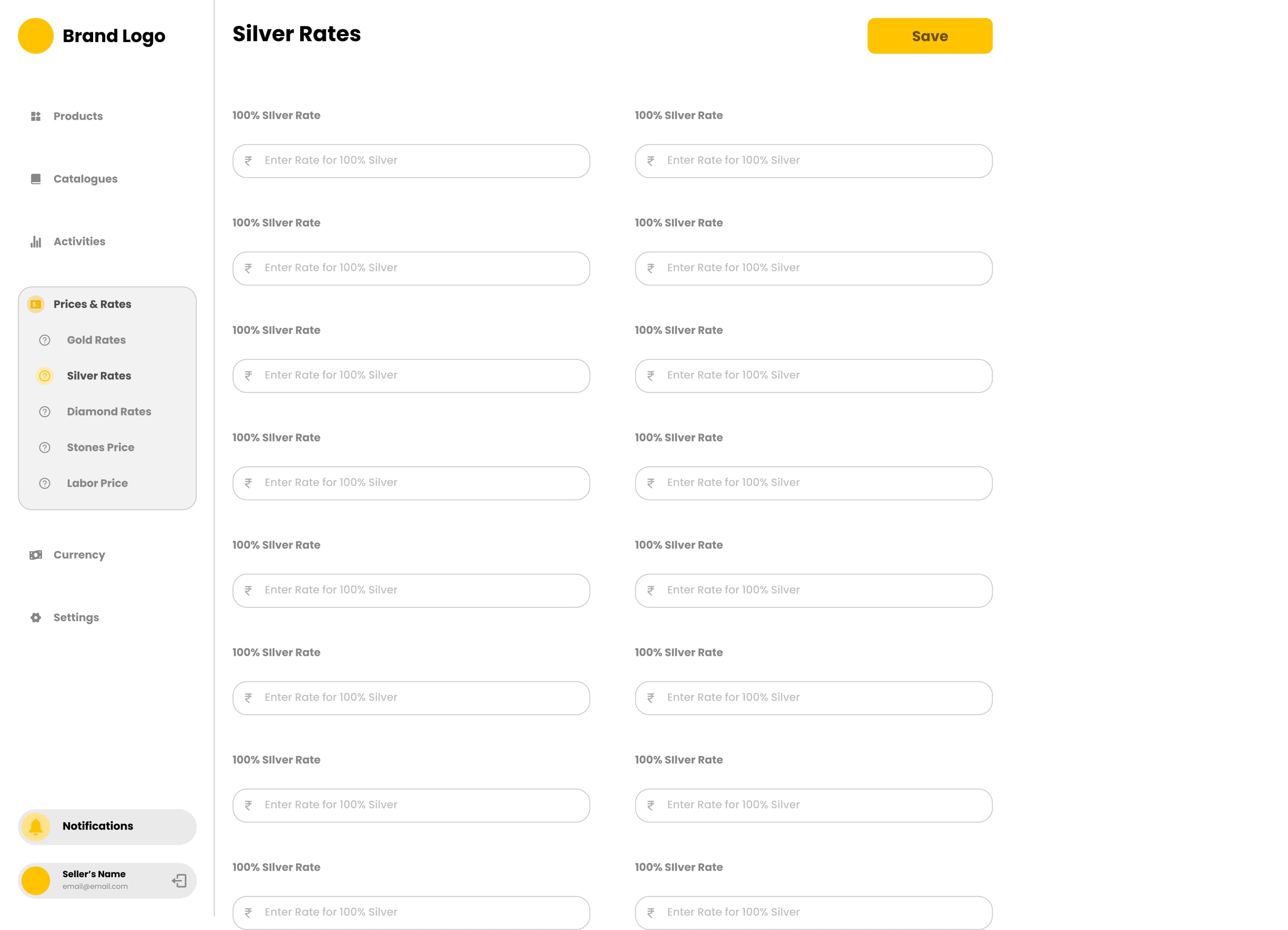
- Created information architecture for main modules: Products, Catalogues, Activities, Prices & Rates, Currency, Settings
- Implemented hierarchical navigation with collapsible sections and clear visual indicators
- Designed notification systems and user profile sections within the main navigation
- Established consistent spacing systems using 8-point grid for all layout components
- Created responsive layout patterns that maintain usability across different screen sizes
Section 5
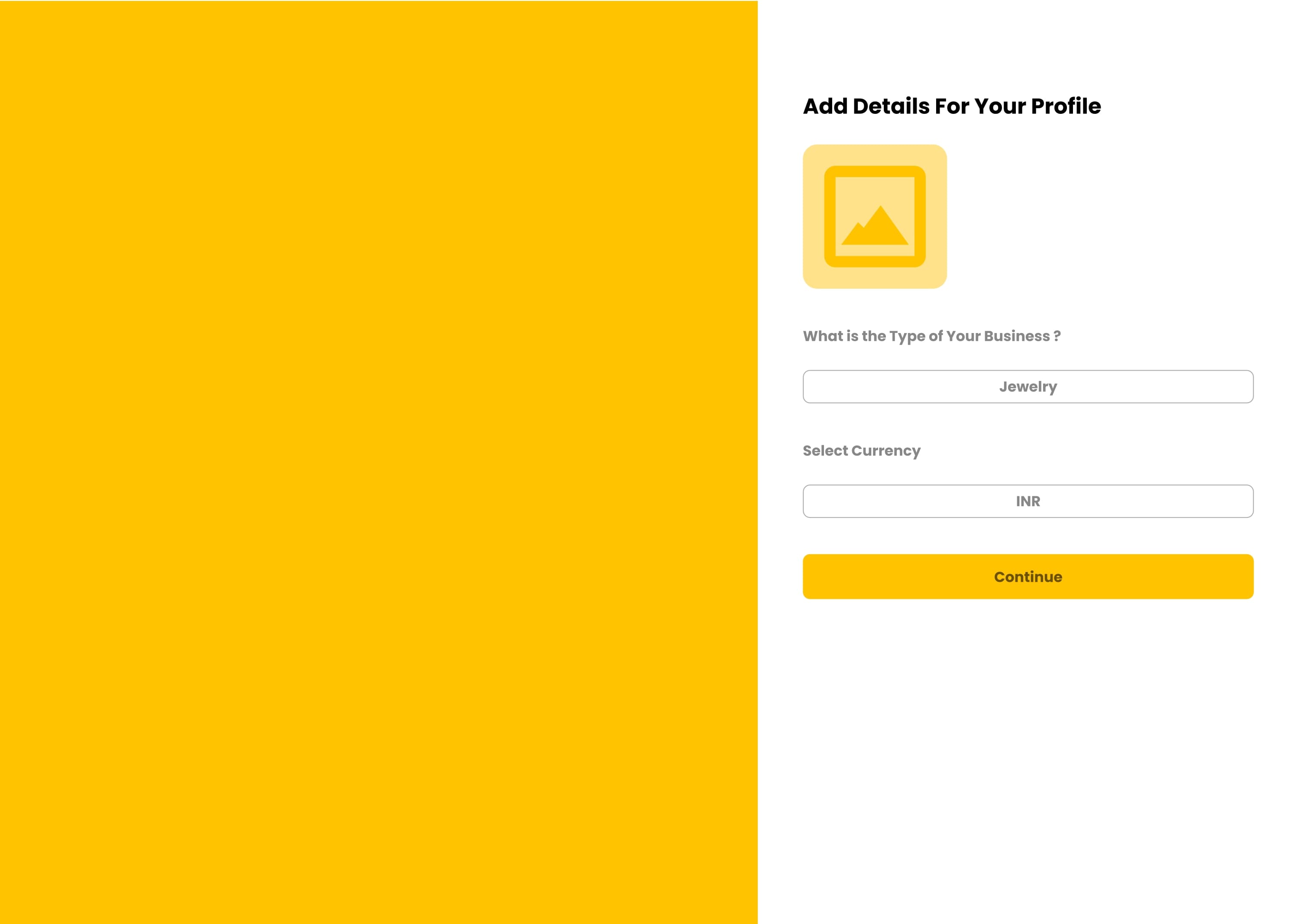
Authentication & Onboarding Flows
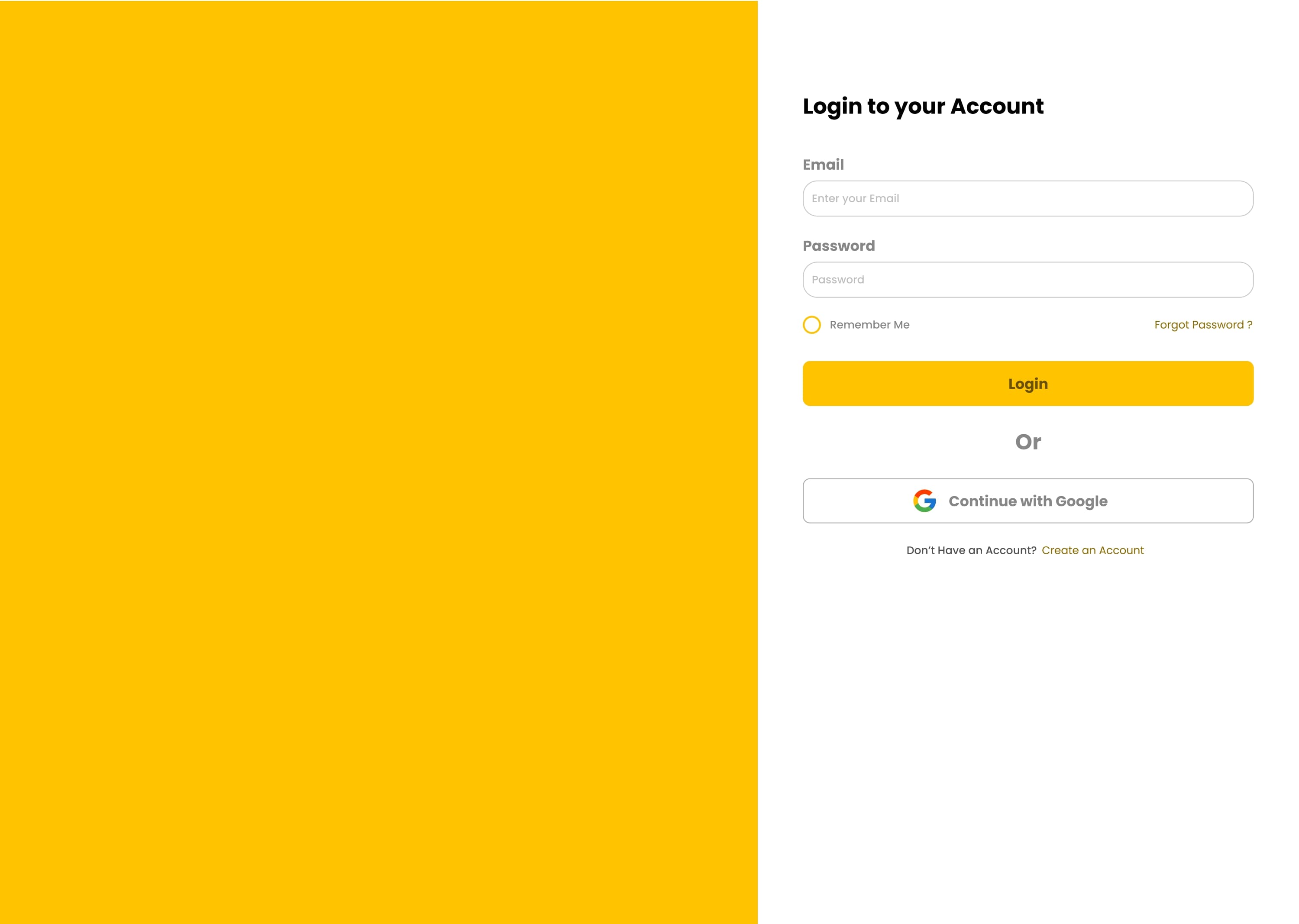
- Designed user-friendly login interface with email/password authentication and social login options
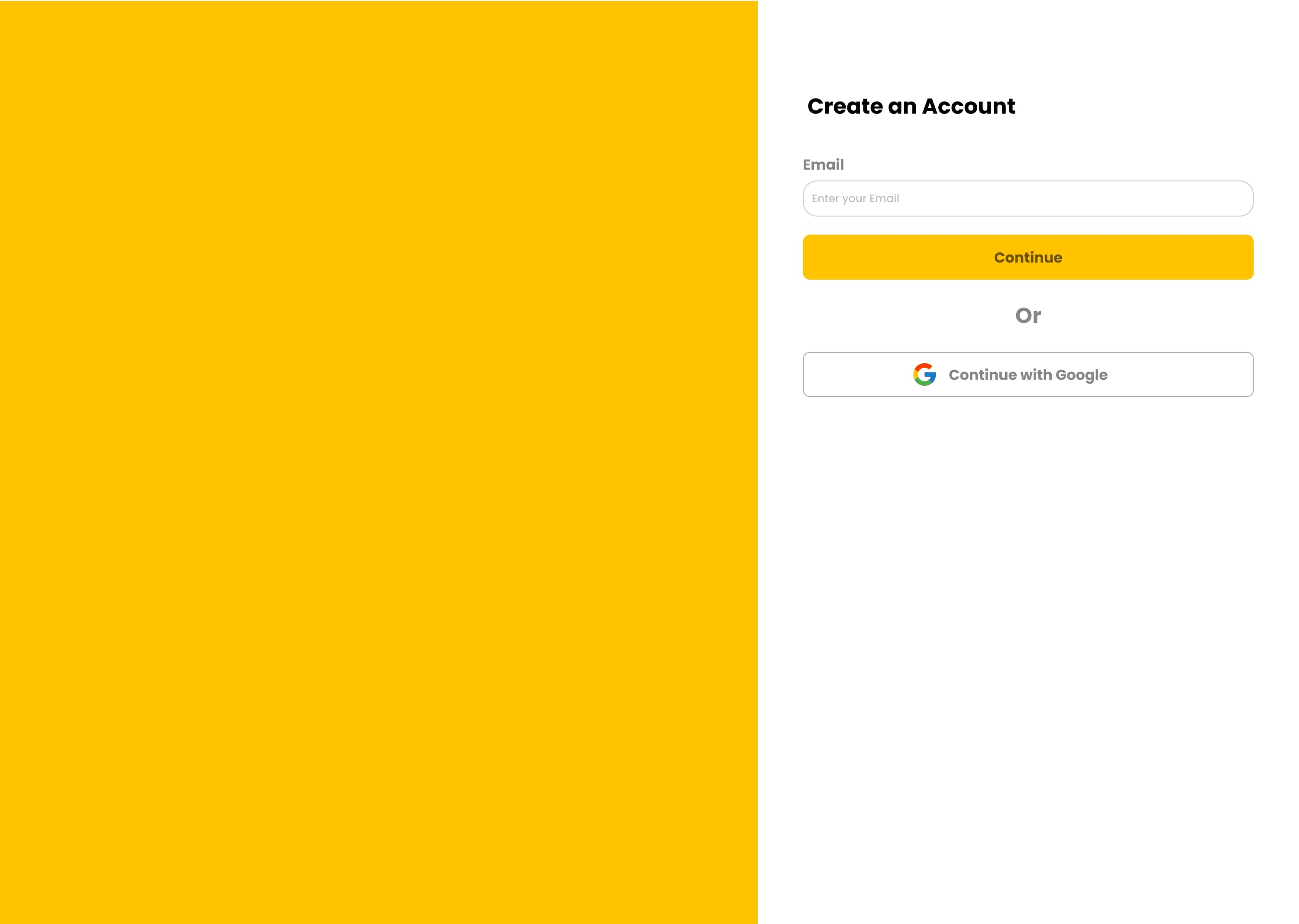
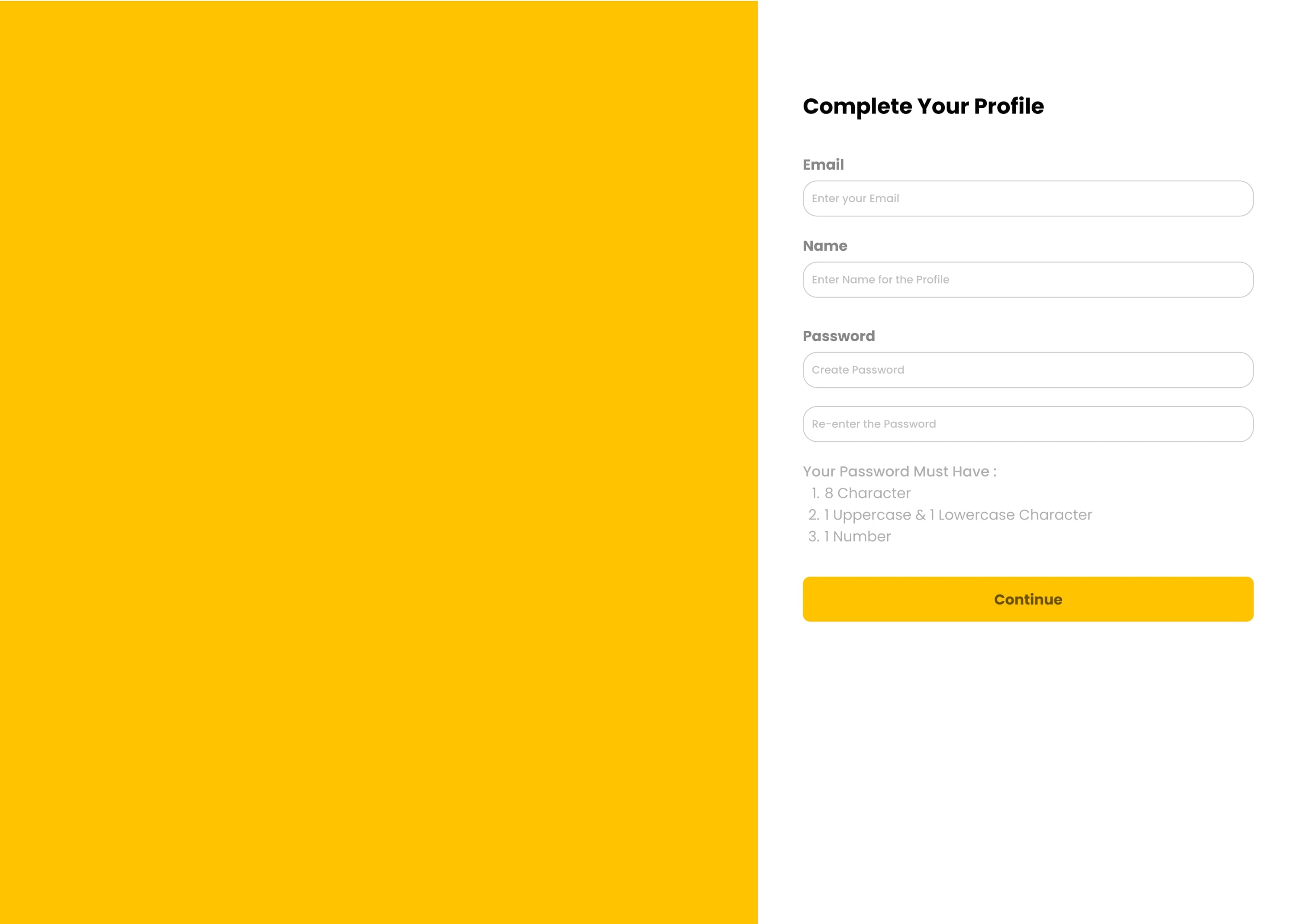
- Created account creation flow with email verification and progressive profile setup
- Implemented 'Remember Me' functionality and password recovery workflows
- Designed clean, focused interfaces for authentication to reduce cognitive load
- Established consistent form patterns with clear validation states and error messaging
- Created responsive authentication designs that work seamlessly across all devices
Section 6
Product & Catalog Management Interfaces
- Designed comprehensive product listing interfaces with filtering and search capabilities
- Created catalog management screens with category organization and product grouping
- Implemented bulk action patterns for product management and catalog operations
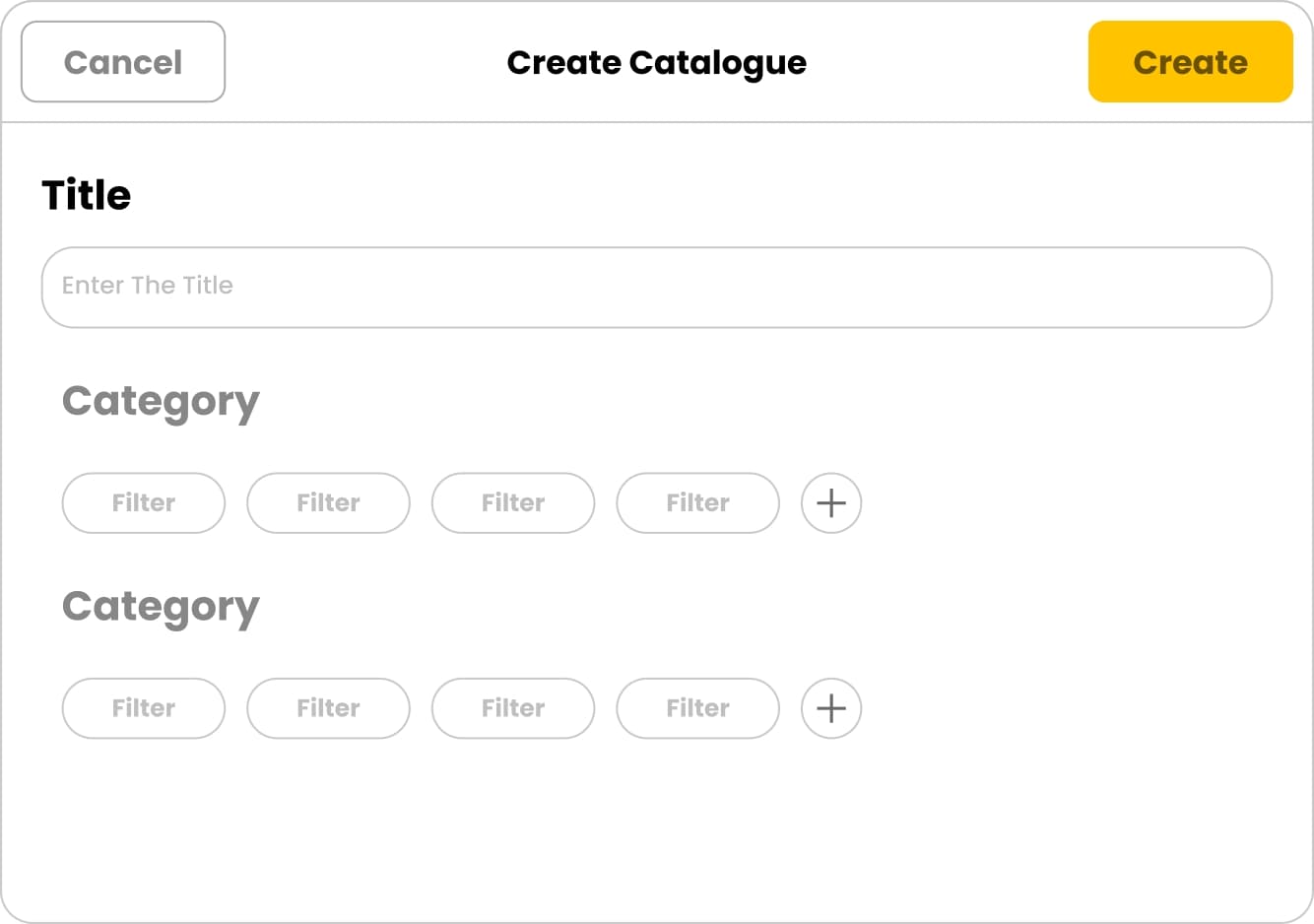
- Designed catalog creation workflows with step-by-step form interfaces
- Created filtering systems with multiple category and sub-category selection options
- Established consistent card-based layouts for product and catalog displays
Section 7
Order Management & Customer Interfaces
- Designed comprehensive order management tables with status indicators and action controls
- Created order detail views with product information, pricing breakdowns, and customer details
- Implemented order tracking interfaces with timeline visualization and status updates
- Designed customer management screens with contact information and order history
- Created responsive table designs with sortable columns and bulk action capabilities
- Established consistent information architecture for order processing workflows
Section 8
Jewelry-Specific Interfaces
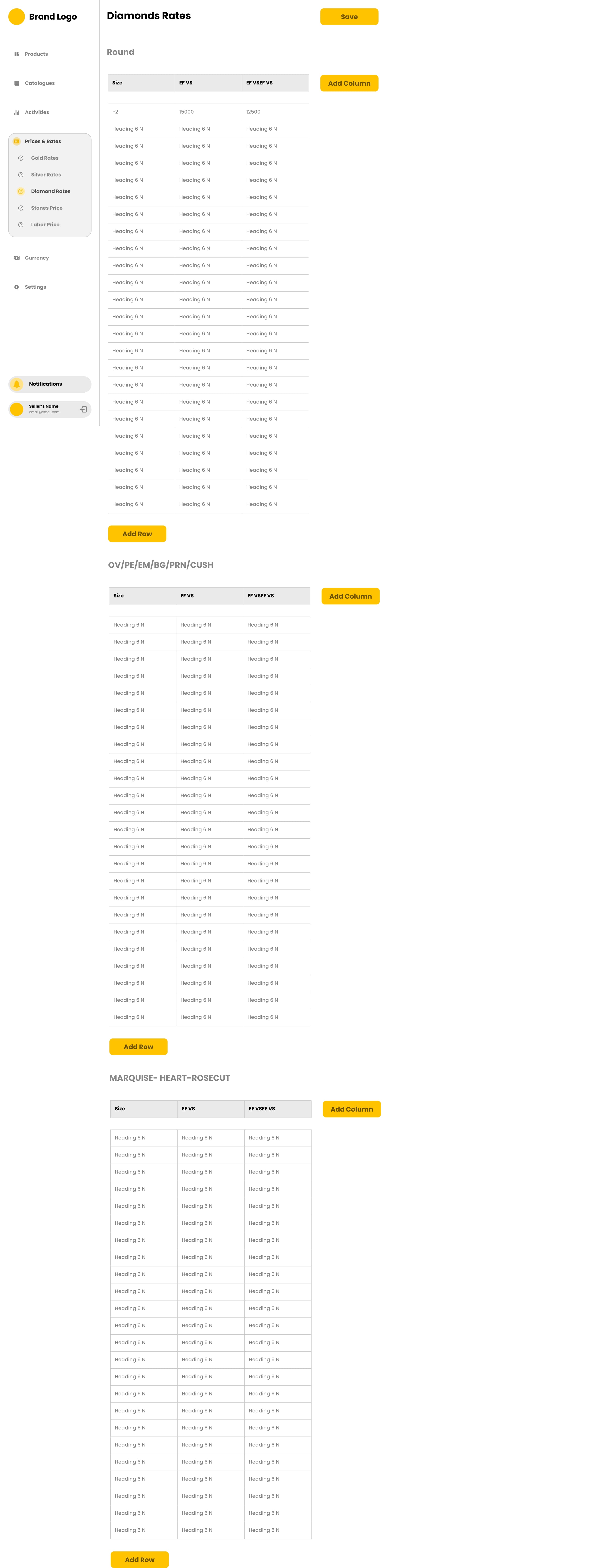
- Designed specialized interfaces for jewelry product management with metal and gemstone specifications
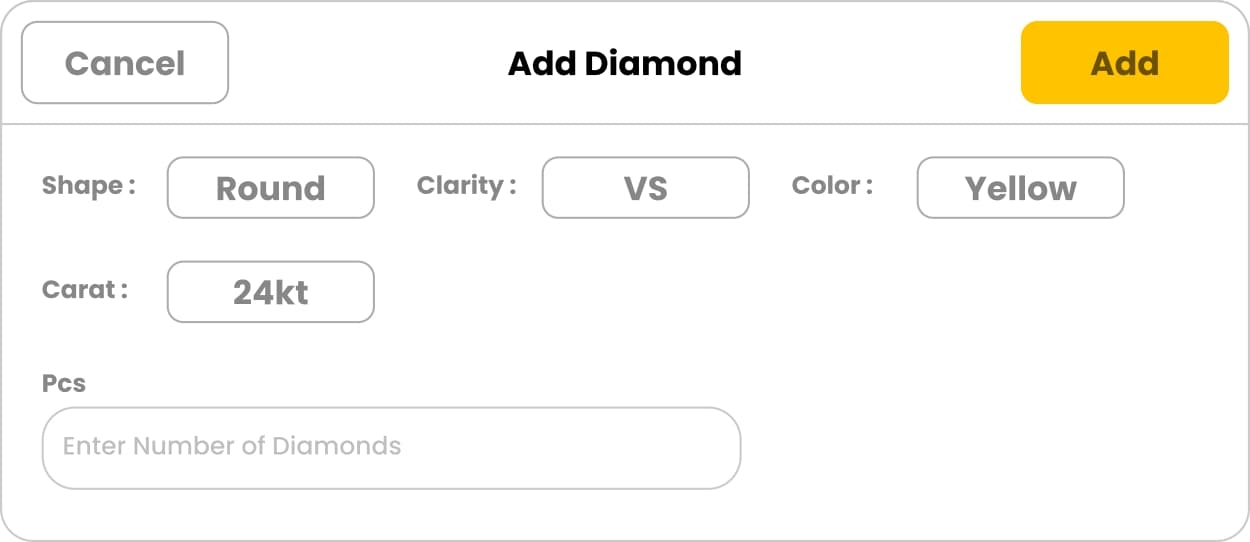
- Created diamond management screens with shape, carat, clarity, and pricing controls
- Implemented jewelry calculation interfaces for metal purity, weight, and making charges
- Designed color-coded systems for different metal types and gemstone categories
- Created specialized form patterns for jewelry-specific attributes and specifications
- Established visual hierarchies that prioritize key jewelry business metrics
Section 9
Export & Download Interfaces
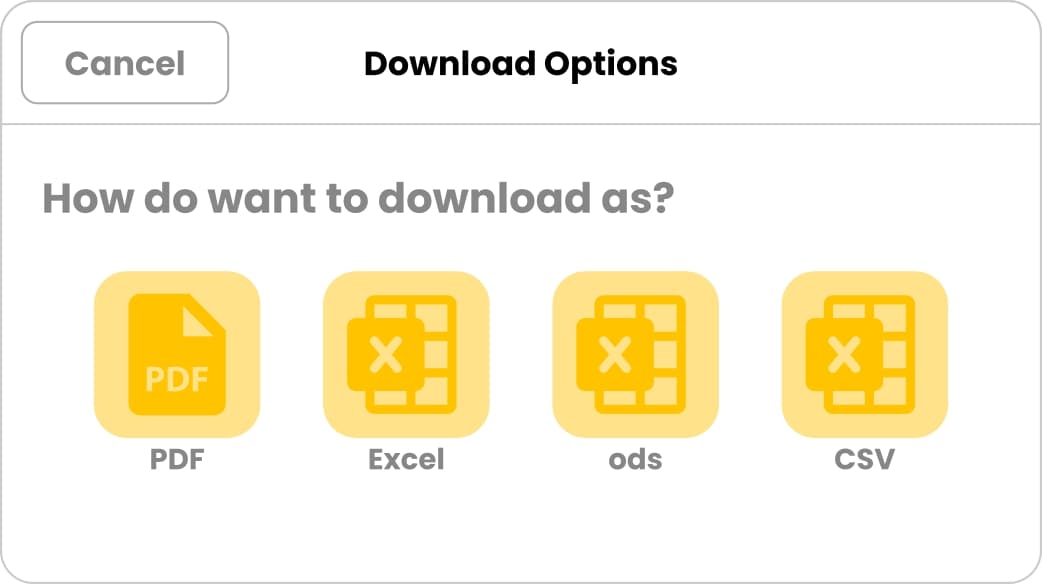
- Designed export interface for multiple download formats including PDF, Excel, and CSV
- Created format selection patterns with clear iconography and format descriptions
- Implemented bulk export capabilities with progress indicators and completion states
- Designed responsive export controls that work for both individual items and bulk operations
- Established consistent modal patterns for export configuration and format selection
Section 10
Component Library & Design Tokens
- Built comprehensive component library in Figma with buttons, forms, tables, and navigation elements
- Created design tokens for colors, typography, spacing, and border radii for consistent implementation
- Designed component variants for different states: default, hover, active, disabled, and error
- Implemented auto-layout for all components to ensure scalability and maintainability
- Created documentation for component usage, best practices, and implementation guidelines
- Established naming conventions and organization systems for easy component discovery